Skip to content

An Inventario Municipal product

Buzón Municipal Your council, right in every resident's pocket

Residents report issues with a photo and location, book appointments and receive messages from the Council. Your staff manage everything from a single dashboard, on mobile too.

Are you a resident? Sign in to your council's app

  • App Store and Google Play
  • Instant notifications
  • Dashboard on mobile too
  • Nothing to install at the Council
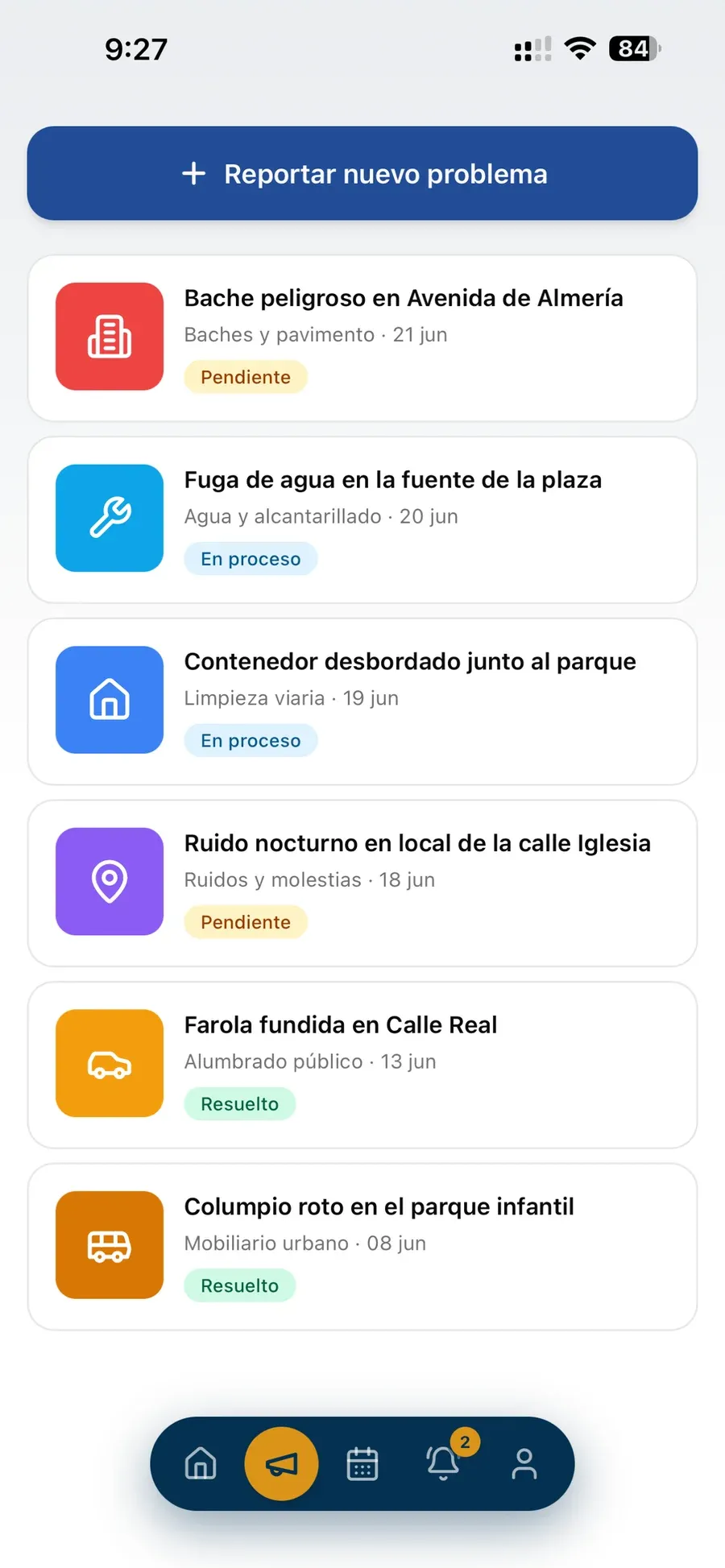
A resident's list of reports with their status.
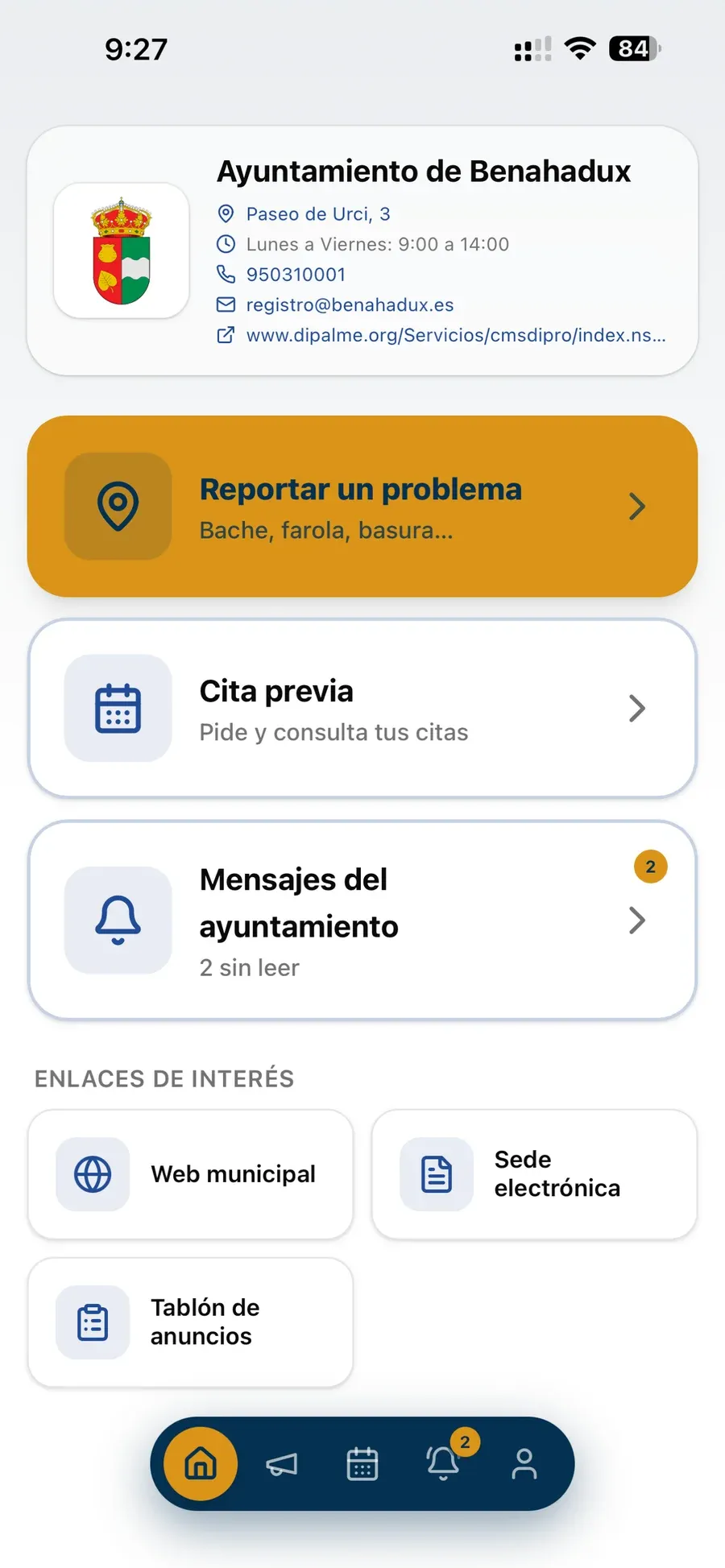
Home screen of the app in Benahadux: report a problem, appointment booking and messages from the Council.
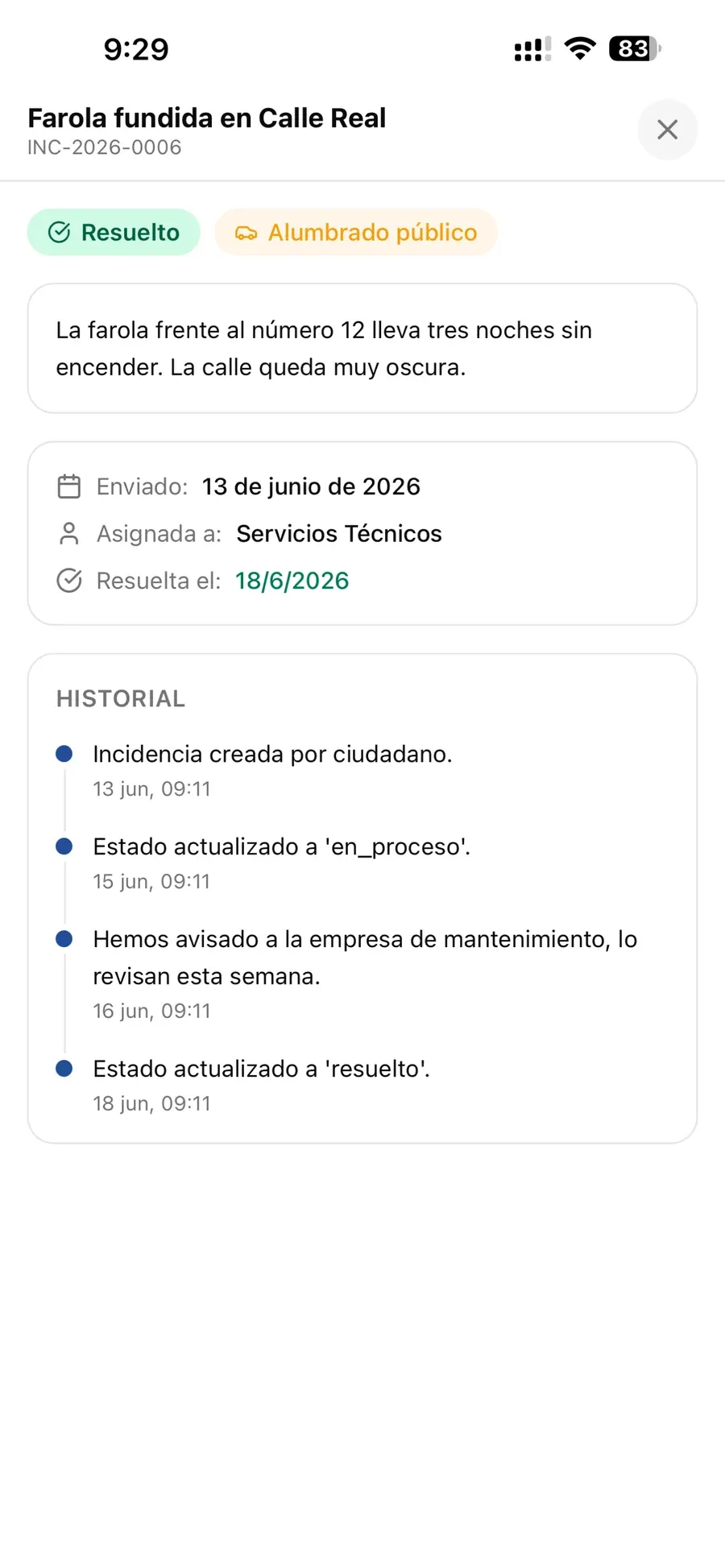
Details of a resolved report with its history.

It's that simple

From a problem in the street to a reply, in three steps

No lost phone calls, no paperwork passed from desk to desk: every report reaches the person who can fix it, and residents always know how it is going.

  1. A resident reports it

    From the app or the browser: type of problem, description, location on the map and photos.

  2. It reaches the right person

    The report is routed to the person or role in charge, manually or automatically by category.

  3. The resident sees the reply

    Every status change and every reply from the Council reaches their phone and their inbox.

Who it's for

A tool for the whole municipality

  • For the Council

    One organised channel for reports, appointments and messages to residents, with its own coat of arms and details.

  • For council staff

    Everyone sees what is theirs, deals with it from the street on their phone and replies to residents without revealing their name.

  • For residents

    They report a problem, book an appointment and stay informed from their phone, without calling or travelling.

Features

Everything you can do with Buzón Municipal

What residents see, with real screenshots of the app, and what council staff use.

For residents

Reports with photo and location

A resident spots a broken streetlight or a pothole, opens the app and reports it in a minute: they choose the type of problem, describe it, mark the spot on the map and add photos.

  • Problem types set up by the Council
  • Exact location on the map
  • Up to five photos per report
  • Contact details saved for the next report
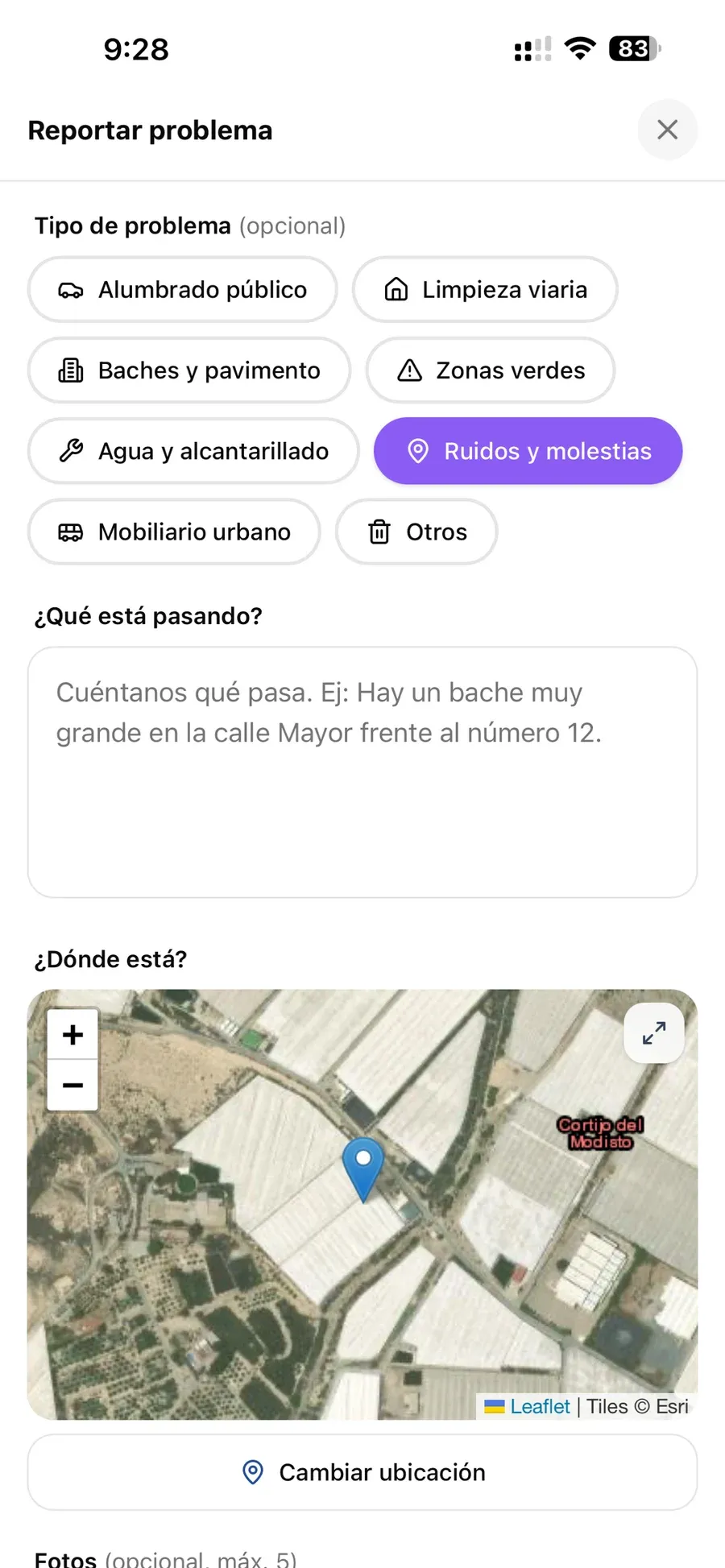
The app's "Reportar problema" (Report a problem) form: type of problem, description, location on the map and photos.
Real screenshot
For residents

Tracking for every report

Residents always know what is happening with their report: whether it is pending, in progress or resolved, who is handling it and how the Council has replied.

  • Statuses: pending, in progress and resolved
  • History with every step and every reply
  • Phone and email notification on every status change
  • All their reports in a single list
Details of a resolved report, "Farola fundida en Calle Real" (broken streetlight on Calle Real), with its status history.
Real screenshot
For residents

Appointments without phone calls

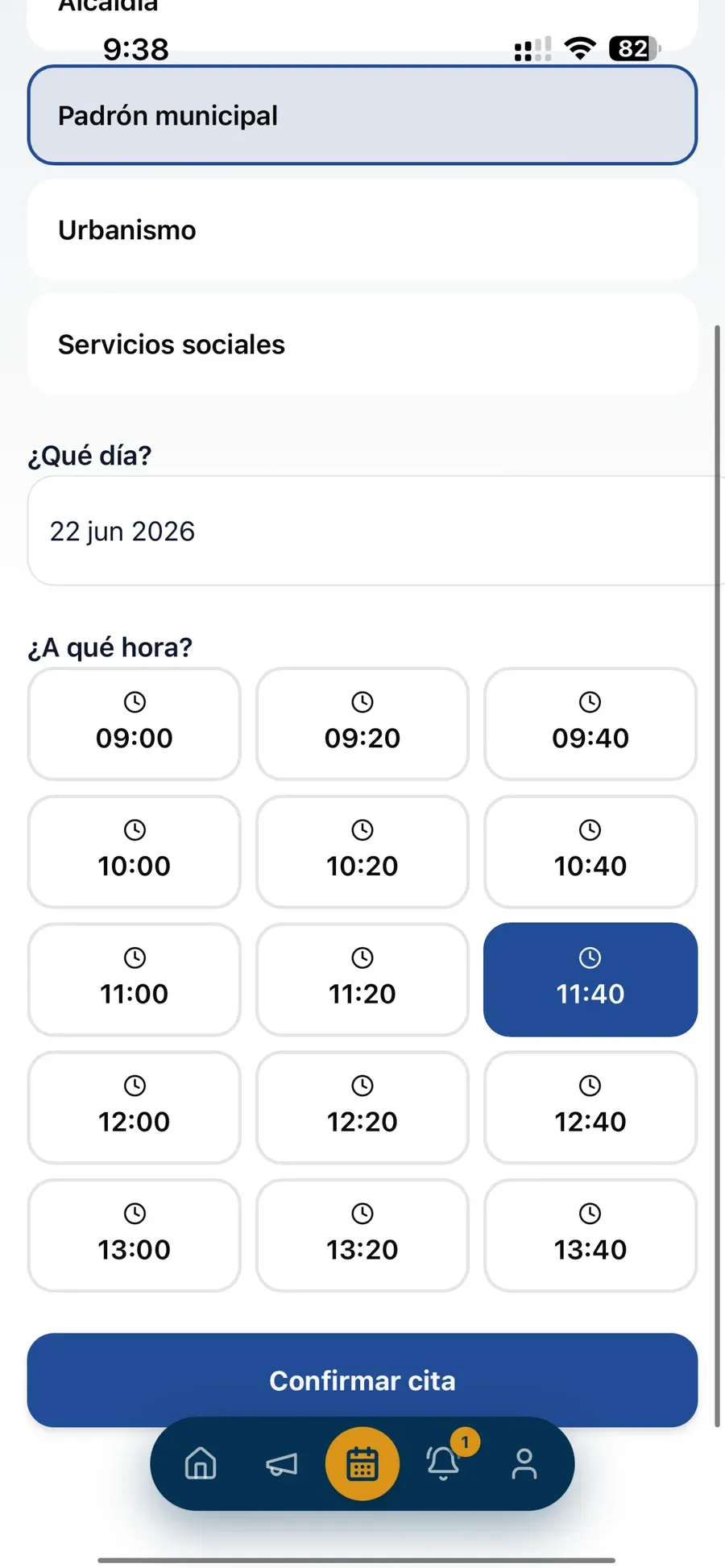
Residents choose the service, day and time from the available slots, and receive a confirmation and a reminder. No more waiting on the phone.

  • Services and opening hours set by each department
  • Available slots at a glance, day by day
  • Confirm, get reminders and cancel from the app
  • The department receives an email for every appointment
Choosing a day and time for an appointment at the municipal register office.
Real screenshot
For residents

Messages from the Council

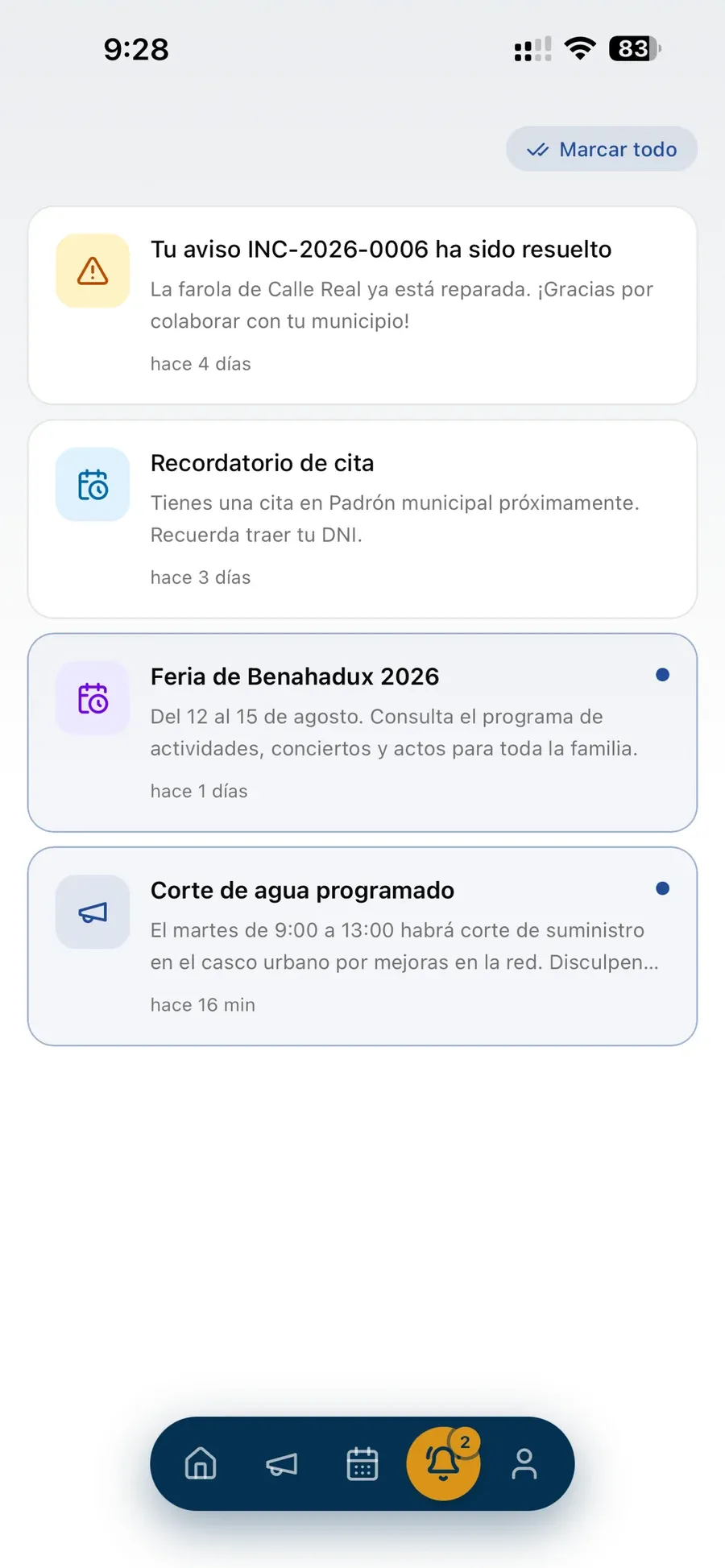
A planned water outage, the town fair or an appointment reminder: the Council informs its residents and the message reaches their phone instantly.

  • Instant notifications on their phone
  • Events, service outages and general announcements
  • Every message saved in the app
  • A notification when a resident's report is resolved
List of notifications: resolved report, appointment reminder, Feria de Benahadux 2026 and planned water outage.
Real screenshot
For residents

Their own council app

When they open it, residents see their Council: coat of arms, address, opening hours and phone number, shortcuts to reports, appointments and messages, and links to the council website, the e-government portal (sede electrónica) and the public notice board.

  • On the App Store, on Google Play and in the browser
  • Each resident chooses their municipality
  • Useful links from the Council
  • Sign in with email, Google or Apple
Home screen of the app in Benahadux: Council details, report a problem, appointment booking, messages and useful links.
Real screenshot
For the Council

Council management dashboard

Everything residents send in, organised in one place: reports by status and category, appointment calendar, departments, staff and messages to residents.

  • Reports filtered by status, assignment and role
  • Custom report categories and appointment departments
  • Send messages to residents
  • Works on mobile too

Includes

  • Reports
  • Appointment calendar
  • Departments and opening hours
  • Categories
  • Users and roles
  • Messages to residents
For the Council

Every report to the right person

Each report goes to whoever should resolve it: a specific person, a whole role such as the Police or Public Works, or automatically according to its category.

  • Custom internal roles, each with its own colour
  • Automatic routing by category
  • Email alert to the person or role that receives it
  • The first to claim it takes it

Includes

  • Police
  • Public Works
  • Urban Planning
  • Technical Services
  • Any roles you create
For the Council

Staff inbox, on mobile

Council staff resolve reports from the street: they see their own and the unclaimed ones, call the resident, find the spot on the map and reply.

  • "Assigned to me" and "Unclaimed" tabs
  • One-tap call to the contact and "Directions"
  • Internal notes kept separate from replies to the resident
  • Full history of each report, showing who did what

Includes

  • Assigned to me
  • Unclaimed
  • Call the resident
  • Directions
  • Internal notes
  • Reply
For the Council

Privacy for staff and residents

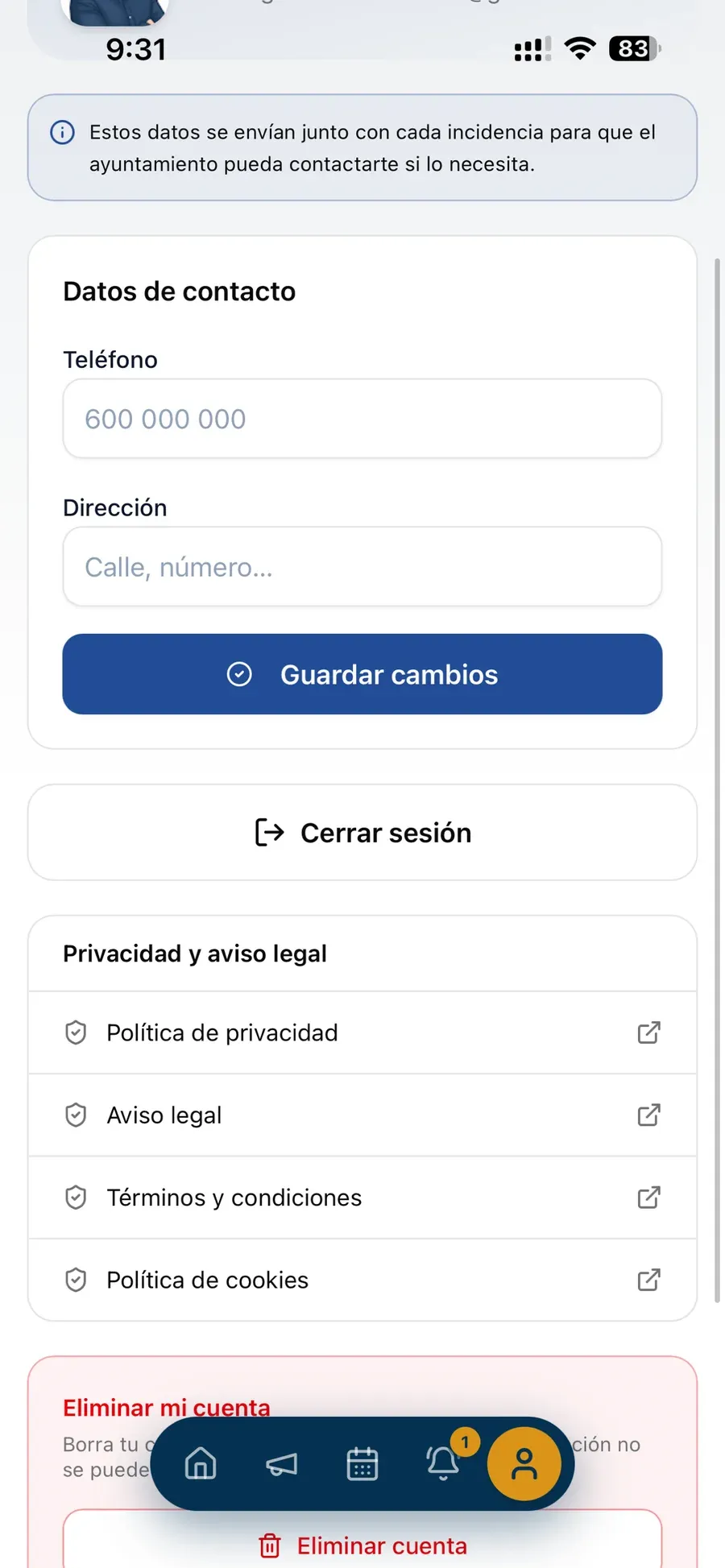
The name of the officer handling a report never reaches the resident's phone: replies are signed by the Council. And every resident controls their own data from their profile.

  • Replies signed as "the Council"
  • Contact details used only to handle reports
  • Privacy policy and legal notice available in the app
  • Residents can delete their account
The resident's profile in the app: contact details, sign out, privacy and legal notice, and delete account.
Real screenshot

And much more…

Details that make everyday life easier for residents and staff.

  • Push notifications

    Every reply and every message from the Council reaches the resident's phone instantly.

  • Email alerts

    Residents, departments and staff get an email whenever it is their turn to act.

  • Sign in with Google or Apple

    No new passwords: residents sign in with the account they already have, or with their email.

  • Directions

    Staff open the location of the report on the map and go straight there.

  • Colour-coded roles

    Each internal role has its own colour, shown in users, reports and routing.

  • Dashboard on mobile

    The admin area and the staff inbox adapt to small screens.

  • Useful links

    Council website, e-government portal and public notice board, one tap away in the app.

  • Account deletion in the app

    Residents can delete their account themselves from their profile.

  • What's new, at a glance

    Tap the version number to see what changed in each update.

Download

Now available on App Store and Google Play

One app for every municipality: residents download it, choose their council and get started. It also works in the browser, with nothing to install.

Now live in

  • Coat of arms of Benahadux Benahadux Almería
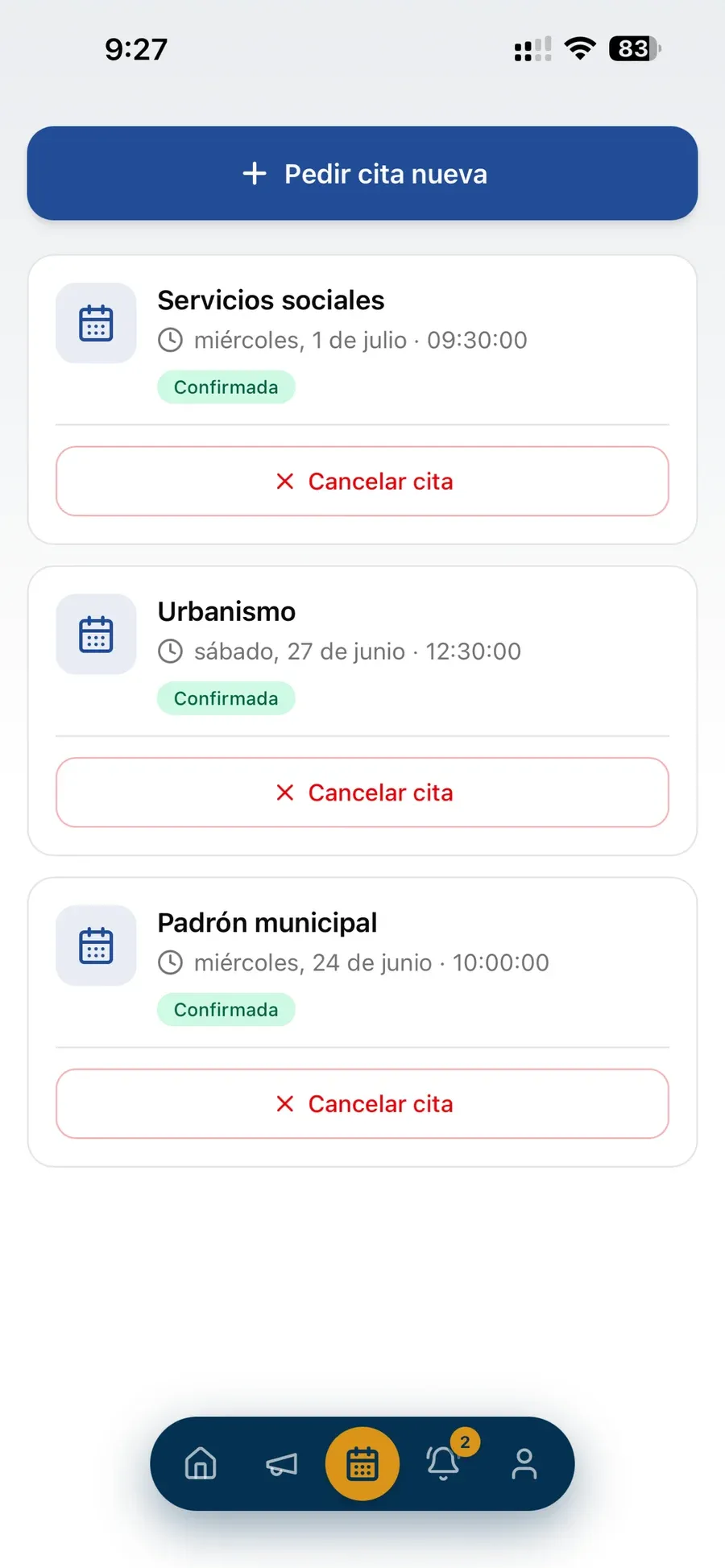
A resident's confirmed appointments in the app: social services, urban planning and municipal register.
Real screenshot

How to get started

Your Buzón up and running in four steps

  1. 1

    Request a demo

    We show you the app and the dashboard in action and answer your questions.

  2. 2

    We set up your Buzón

    Council details and coat of arms, report categories, departments and appointment hours, staff and roles.

  3. 3

    You sign the authorisation

    Apple and Google require the Council to authorise the app provider. We give you the letter ready to sign.

  4. 4

    You announce it to residents

    They download the app, choose their municipality and start using it from day one.

Frequently asked questions

What we are often asked

Do residents have to install anything?

They can download the Buzón Municipal app from the App Store or Google Play, or use it in the browser at app.buzonmunicipal.es. When they open it, they choose their council.

How do residents sign up?

With their email address or their Google or Apple account. To send a report or book an appointment they are asked for their name, mobile number and address, which are saved in their profile for next time.

Can residents see the name of the officer handling their report?

No. The identity of the staff handling or replying to a report never reaches the resident's device: replies are signed by the Council.

How do staff know they have work to do?

Every person or role a report is routed to sees it in their inbox and receives an email. Unassigned reports appear as "unclaimed", and the first person to claim one takes it.

What does the Council need to do to get started?

Send us its details, its coat of arms, the report categories and the departments with their appointment hours, and sign the authorisation letter Apple and Google require to publish the app on its behalf.

Can it be managed from a phone?

Yes. The admin dashboard and the staff inbox are adapted to mobile, with one-tap calls to residents and "Directions".

Want to see Buzón Municipal in action?

Request a personalised demo, with no commitment.

Request a demo

Request your free demo of Buzón Municipal

Tell us what your Council needs and we will show you the app and the dashboard in action.

Free initial consultation

Personalised demo, free of charge and with no commitment.

Write to us

Data controller: Inventarios de Bienes y Derechos, S.L. Purpose: to handle your request and, if you tick the box, send you news. Rights: access, rectification, erasure and others, by writing to info@inventariomunicipal.es. More information in the privacy policy.